Client & Server Details
- Client
- OS: Windows 11 25H2
- PowerShell version: 7.6.4
resticversion (installed viawinget):
> restic version
restic 0.19.1 compiled with go1.26.4 on windows/amd64
- Host Server
- OS: TrueNAS SCALE 25.10.4 - Goldeye
resticREST server details:- App Version: 0.14.0
- Version: 1.1.6
- Source: apps.truenas.com/catalog/restic-rest-server_community, github.com/restic/rest-server, hub.docker.com/r/restic/rest-server
- Train: community
Problem Description
I’m trying to set up a restic REST server on TrueNAS scale for my Windows PCs to backup to using Backrest. I set up the restic REST server TrueNAS SCALE app with the following settings:
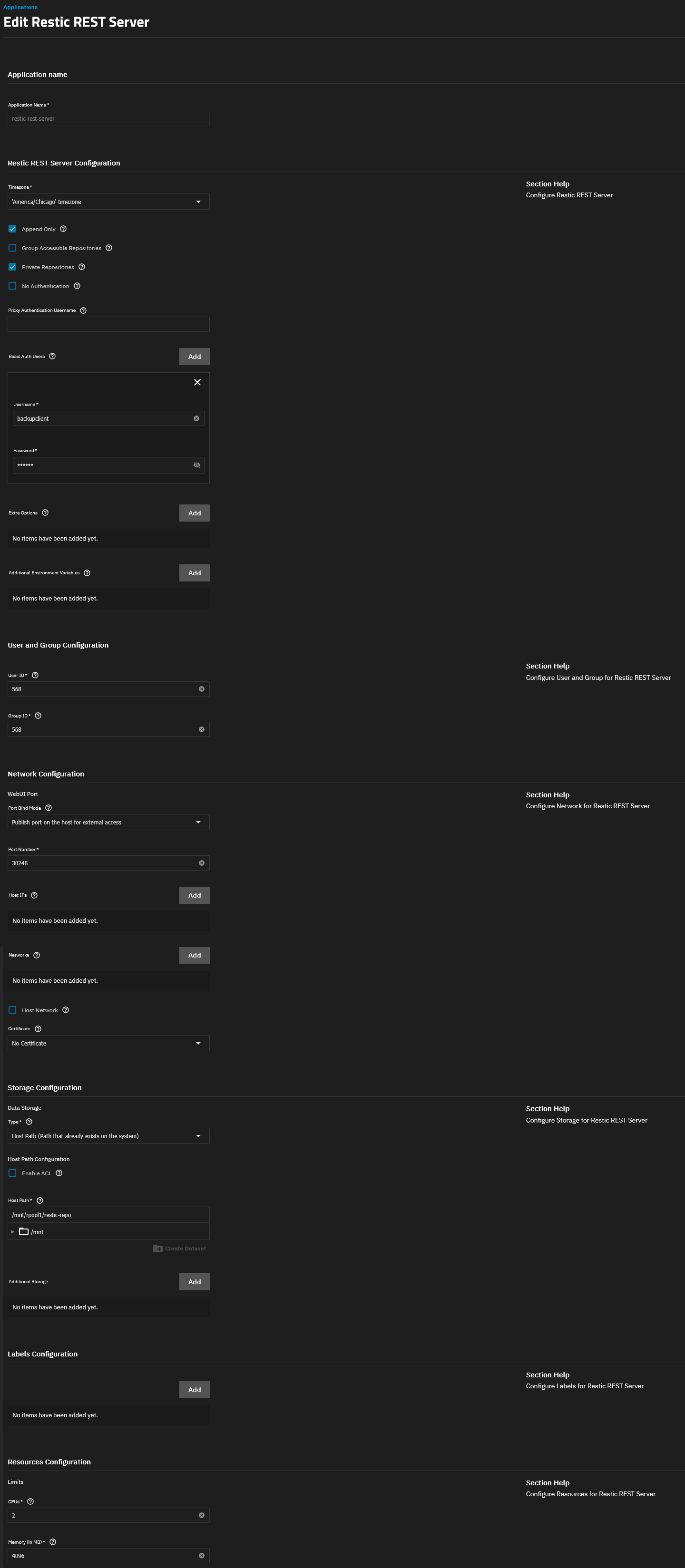
Unfortunately, when I try to initialize the repo from Windows Terminal Preview running PowerShell from the client, the credentials are rejected, even when I set a simple dummy password:
> restic -r rest:http://backupclient:abc123@192.168.0.71:30248/ init
enter password for new repository:
enter password again:
Fatal: Fatal: create repository at rest:http://backupclient:***@192.168.0.71:30248/ failed: unexpected HTTP response (401): 401 Unauthorized
and try enclosing the path in quotes:
> restic -r "rest:http://backupclient:abc123@192.168.0.71:30248/" init
enter password for new repository:
enter password again:
Fatal: Fatal: create repository at rest:http://backupclient:***@192.168.0.71:30248/ failed: unexpected HTTP response (401): 401 Unauthorized
I checked the container logs and found this:
2026-08-02 01:06:06.788440+00:00Invalid htpasswd entry for backupclient.
Within the container shell, I was able to verify that an /auth/htpasswd file exists and that it contains something resembling backupclient:$2y$05$N... so I’m not sure what the problem could be.
As a workaround I’m using an SMB share on the same server as a repo, but I’d rather use the REST server for Append Only features, etc. Any ideas?