Hi everyone,
Windows users know the struggle of wanting to quickly inspect a restic repository in File Explorer, only to find that `restic mount` is unsupported on Windows.
To solve this without needing WSL, Linux VMs, or third-party web interfaces, I built restic-mount-win — a dedicated standalone CLI that brings native Windows mounting to restic repositories via WinFsp.
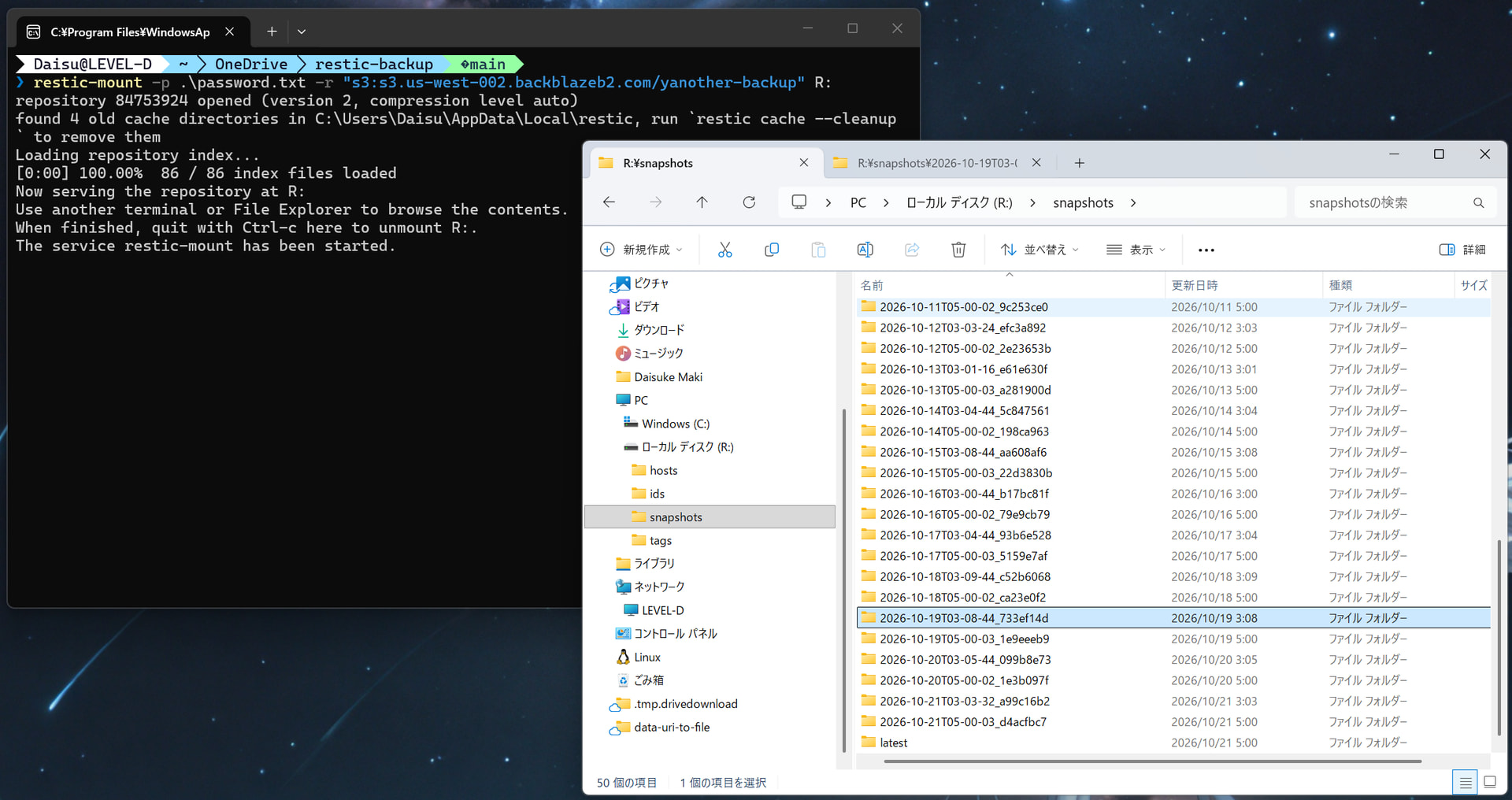
Highlights
- Drop-In CLI Experience: If you know `restic mount`, you already know how to use this. It supports the same repository options, flags, and environment variables. Just replace the space with a hyphen:
  # Instead of: restic mount
  restic-mount -r D:\Backup\restic-repo X:
- Native File Explorer Browsing: Mount your repository as a drive letter (e.g. `X:`) or an empty folder, browse snapshot trees, preview files, and copy/restore individual files directly.
- Safe by Default:
- Holds a shared repository lock while mounted to avoid conflicts with other operations.
- Protects your system against invalid POSIX characters/reserved names (`CON`, `NUL`, etc.) and case-only collisions safely without mutating files.
Quick Start (Installation)
The easiest way to install is via winget, which automatically handles the required WinFsp driver setup:
winget install --id Yanother.restic-mount
(Note: Windows will ask for administrator approval once during setup if WinFsp isn’t already installed on your machine.)
If you prefer manual setup, standalone binaries (`restic-mount.exe`) are available on the GitHub Releases: Releases · Maki-Daisuke/restic-mount-win · GitHub
I hope this makes managing backups on Windows much smoother! Feedback, questions, and feature requests are always welcome.