How to create restic based backup with ransomware protection. I will use iDrive S3 as an example (I use it myself for my backups) but it can work with any remote supporting lock, versioning and storage lifecycle.
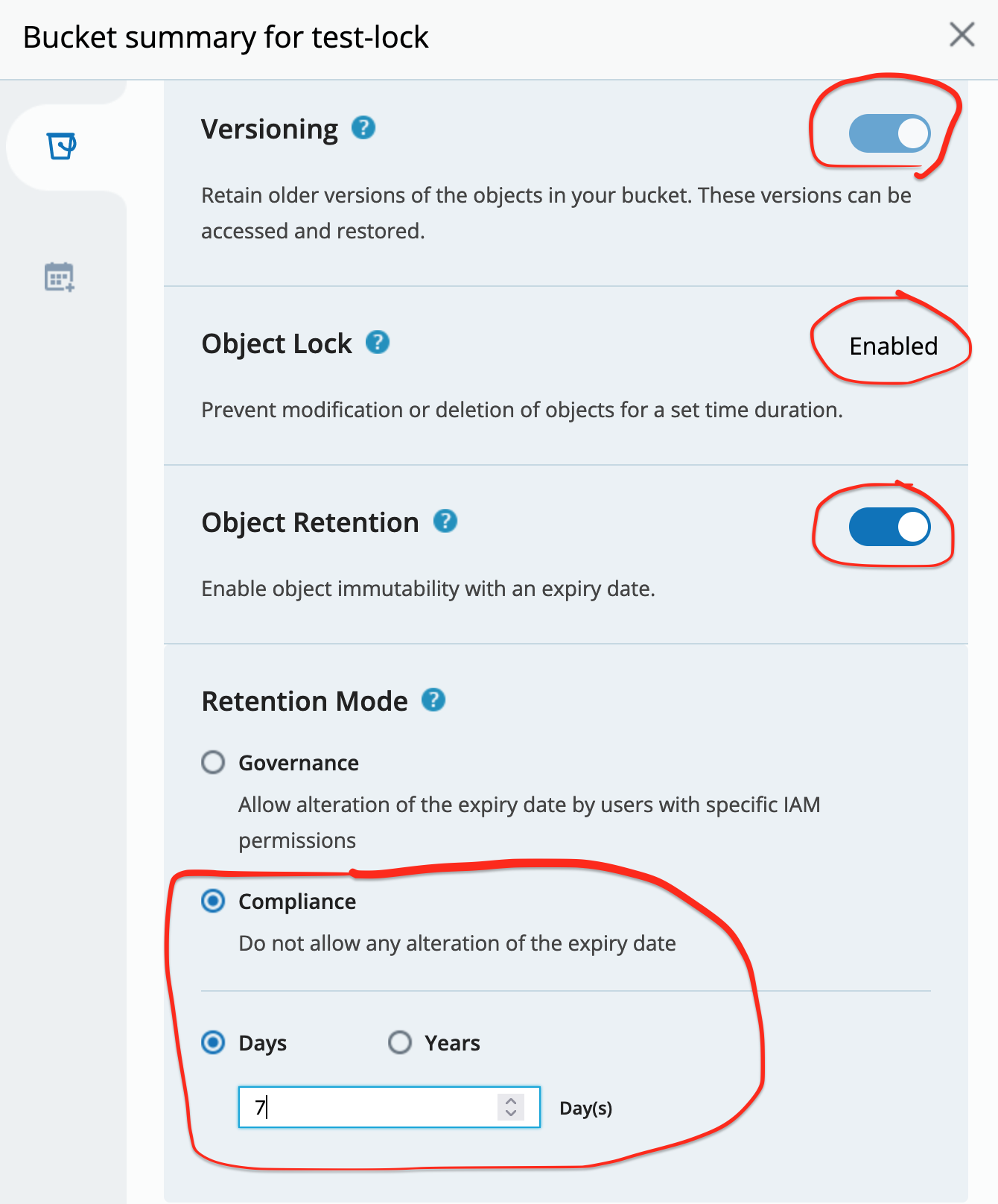
- Create your backup destination bucket - I enable lock for 7 days (this is how long we will have full protection)
I use compliance mode - but be careful with it. Nothing even our account root can delete such objects nor bucket until all objects expire. Only way is to terminate all account:) So experiment with short locking periods and limited amount of data first before you decide to backup all your TBs.
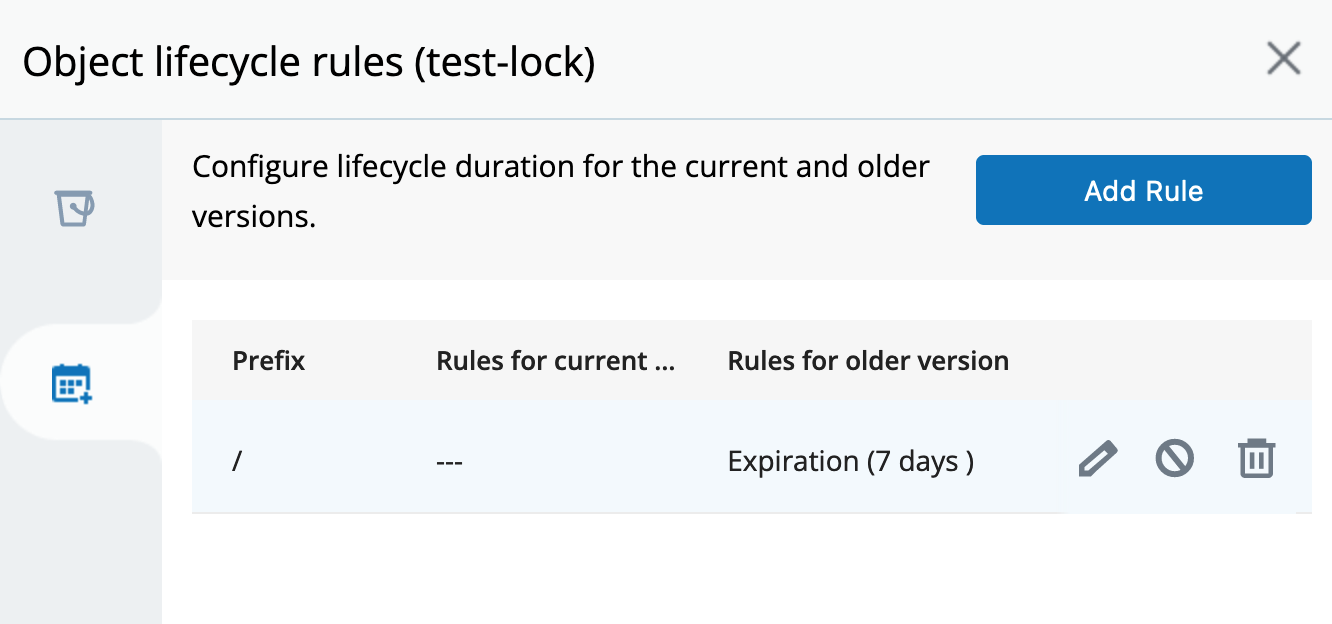
In addition I create life cycle rule to delete old objects versions older than 7 days - otherwise our repo will grow forever.
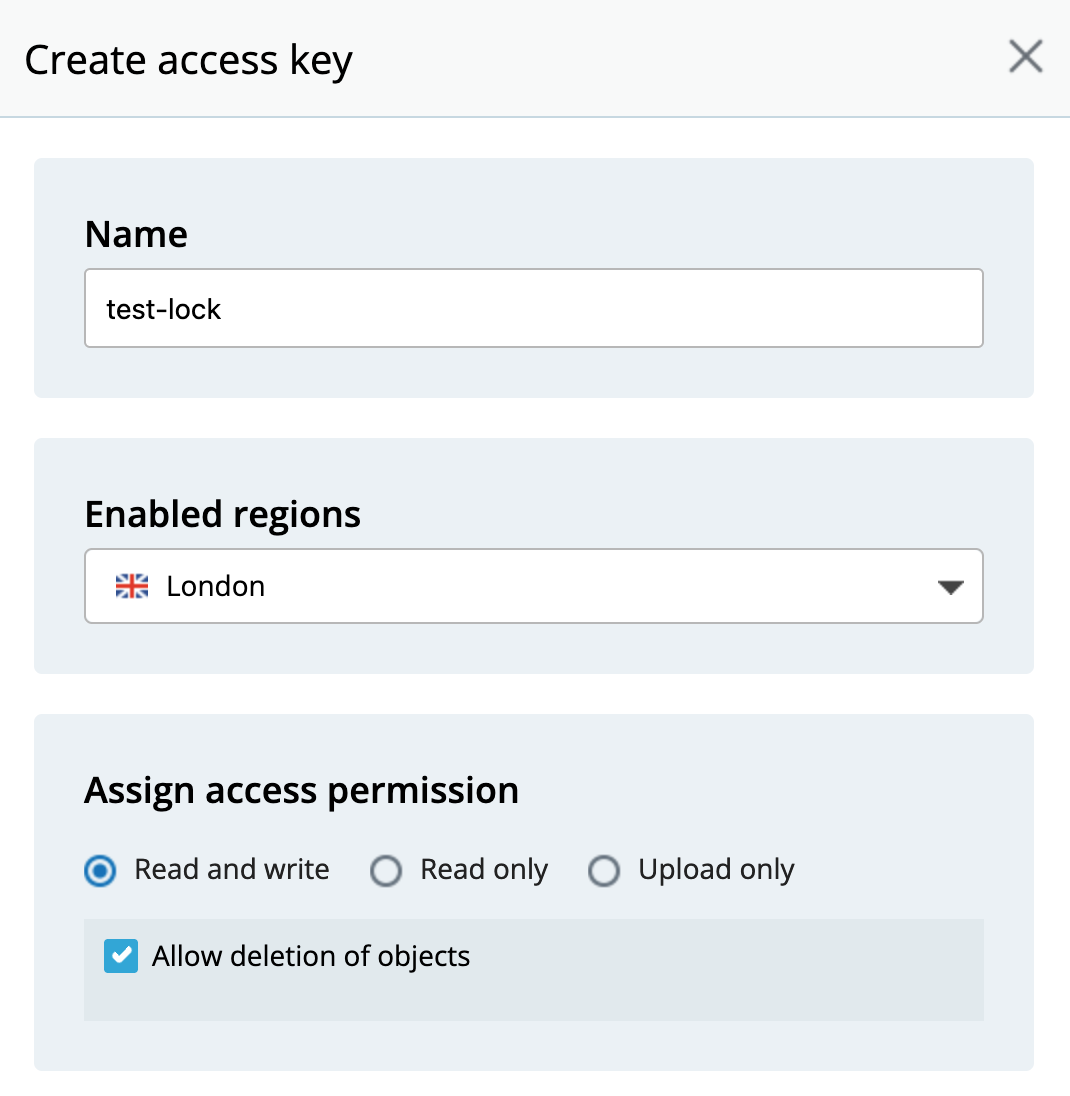
- Create keys with full read/write access for this bucket:
-
Now I can use this bucket for my restic repo - everything should work
restic backup/forget/prune/restore. Effectively no difference from normal S3 backup. What is different is that thx to lock/versioning any file deletion or change creates file version protected for 7 days (they can’t be removed until lock is released after 7 days). Even if rouge user/virus deletes all files from our bucket all is remembered in objects’ versions. -
Here a bit of DIY is needed unless supported by backup program. From time to time (less than locking period, ideally every time we run backup or prune) we have to run script to extend lock time of all active objects in our bucket. Its functionality in pseudo code:
- list (using
aws cli) all active objects from our bucket (leave any versions alone) - use
aws clito extend locking period of every object so it is always 7 days
It would be something like for S3:
aws --endpoint-url=https://url/ \
  s3api put-object-retention \
  --bucket <bucket_name> \
  --key <object_key> \
  --version-id <version_ID> \
  --retention Mode=<retention_type>,RetainUntilDate="<retain_until_date_and_time>" \
  --bypass-governance-retention
If a version object is already locked in compliance mode, we can only extend it by setting new retain until date and time that are later than the current ones. This behaviour of compliance mode objects protects us from anything/anybody to shorten last set locking period. But we can always renew/extend it.
Which is exactly what we need. This way we maintain all active objects always locked for 7 days and allow past versions to expire and being cleaned by lifecycle rule after 7 days.
I have not investigated it further but I think it can be achieved with aws batch command in one step for all active objects.
For other storage providers like Azure or GCS maybe S3 API works but if not then they all have their own CLI tools able to do exactly the same.
- Backup restore after virus/ransomware/rouge user attack.
Let’s say something/somebody deleted/corrupted files in our backup.
This is where things are becoming a little bit tricky for restic as it does not have any functionality to use bucket historical data directly. But we can call rclone for the rescue.
- create
rcloneremote pointing to our S3 bucket - mount this remote specifying date/time in the past we want to see:
rclone mount remote:bucket /mount/point --s3-version-at "date/time in the past"
It will give us mounted (read only) bucket with content as it was at “date/time in the past”. This is thx to our bucket keeping all versions of all files for 7 days. Now we can treat it as normal local repo and do restore of all our precious data. We can use rustic to restore files directly. Or for restic (as it requires to write lock files and this mount is read only) we can transfer all to local storage.
Point 4 and 5 are implemented in kopia. Unfortunately restic does not support it yet. I think it could be possible to include it but of course it means some development.
Otherwise above method should work with any backup program. Not only restic.