Hi all,
Long-time Restic user. I did not like the existing Restic GUI options for various reasons but especially the lack of an easy-to-use file history that allows users to find a file and restore any of its versions rather than manually going through individual snapshots to find the file version that you want. So, I built my own. Feedback is welcome.
Replicaro is a free and open source backup application for Windows, macOS, Linux, and Docker. It combines the proven backup capabilities of Restic and Kopia with a modern graphical user interface, making it easy to schedule encrypted backups; store them on your choice of local, network, or cloud storage; find previous file versions; and restore exactly what you need.
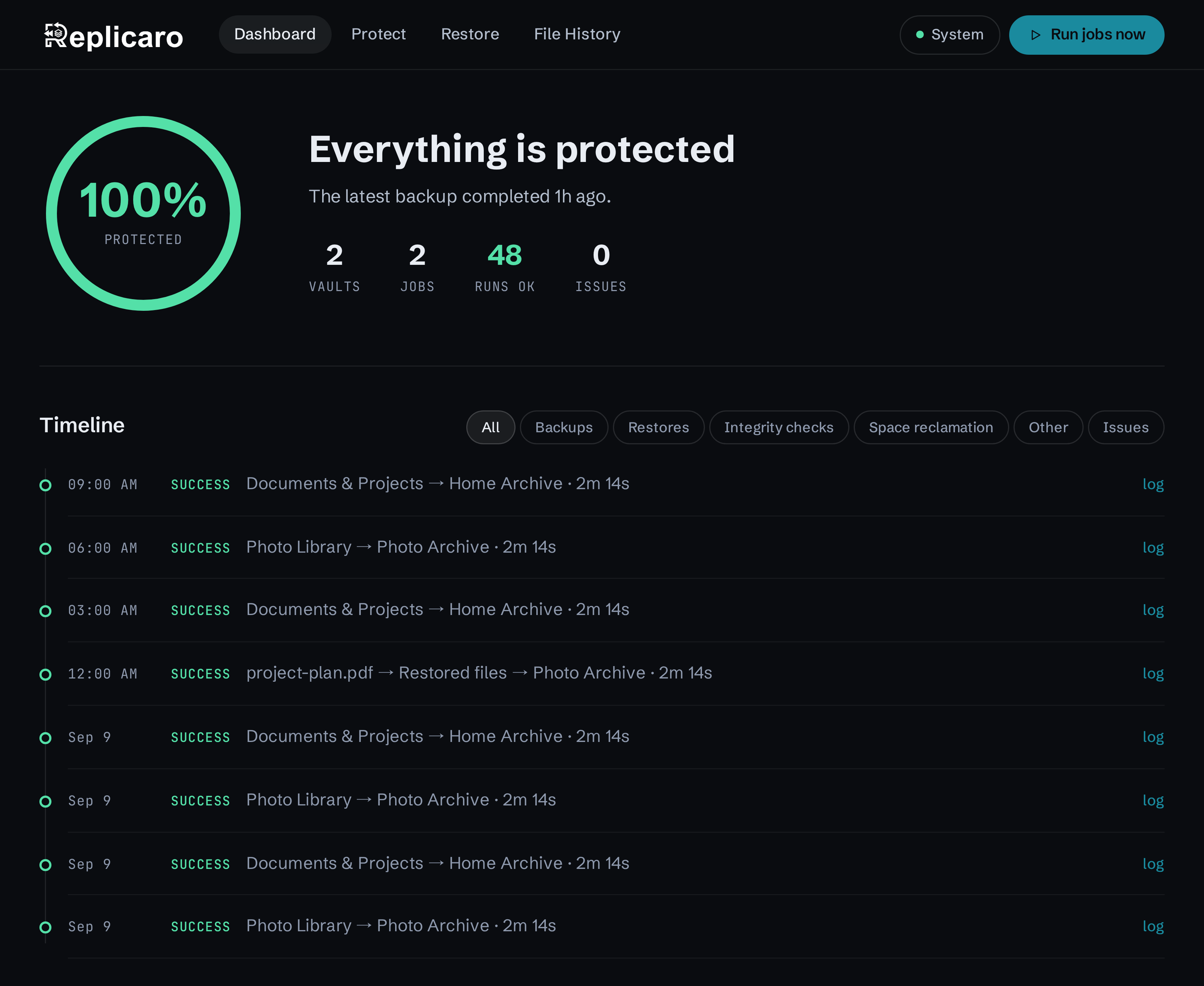
Major Features
- Modern, easy-to-use interface: Backups should not be hard. Replicaro makes them easy.
- Automatic, flexible backups: Choose which of your files you want to backup: files & folders on your computer, attached/removable/flash drives, and network files & folders are all supported. Pick one or more destination vaults where your backups will be stored: local, network, and cloud options are available. Then select your desired schedule. Replicaro runs the backup job automatically.
- Complete file history: Search for files in backups by file name, browse the contents of back ups, compare available versions and dates, and select the version you want. Restore the file you need with the version that you want – easily and quickly.
- Easy, precise recovery: Restore one file or folder, restore multiple files or folders, or restore an entire backup.
- Your choice of destination storage: Use local or external drives, network folders, SFTP, Dropbox, Google Drive, OneDrive, Azure Blob Storage, Google Cloud Storage, and all S3-compatible providers (Amazon S3, Wasabi, Backblaze B2, Cloudflare R2, MinIO, etc.). Cold/archive storage is supported, such as Amazon Deep Glacier or Scaleway Glacier.
- Encrypted, space-efficient vaults: Backups always use end-to-end encryption (everything is encrypted before leaving your computer), while compression and deduplication help reduce the amount of storage used on your destination. You choose the vault password, which cannot be reset or recovered if forgotten.
- Flexible retention: Keep the number file versions to keep: keep everything, or shape a longer history with hourly, daily, weekly, monthly, and yearly settings.
- Integrity and object-lock protection: Run automatic integrity checks and, on compatible cloud storage, enable object locking for additional protection against ransomware or accidental deletion.
- Tray icon & notifications: Windows, Mac, and Linux all support Replicaro icon for easy access. Receive success or failure notifications through the desktop or a configured webhook.
- Recovery across computers: Connect multiple computers to one vault simultaneously. Easily restore backup job settings on another computer.
- No file size limit: Backup as large files as you want.
- Free, open source, and cross-platform: Use Replicaro on Windows, macOS, Linux, or Docker across laptops, desktops, or servers. Source code is always available on GitHub.